Integrating Luxury Gold Marble Texture Paper Graphic into Professional Design Workflows
In the realm of digital design and print production, texture is not merely an aesthetic choice; it is a functional element that communicates value, depth, and tactile quality. The Luxury Gold Marble Texture Paper Graphic serves as a versatile asset for creators who need to elevate visual projects without starting from scratch. Whether you are designing a book cover for self-publishing, crafting social media assets for a brand, or preparing materials for a corporate presentation, understanding how to integrate this specific texture into your workflow can significantly enhance efficiency and output quality.
This guide explores the practical application of high-resolution marble textures in various professional contexts. It focuses on preparation, compatibility, and execution, ensuring that you can leverage this asset effectively across different platforms and mediums.
Understanding the Asset Specifications
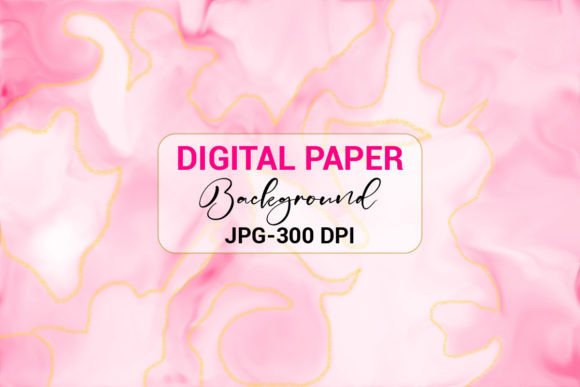
Before incorporating any graphic element into a project, it is crucial to understand its technical specifications. The Luxury Gold Marble Texture Paper Graphic is provided as a high-quality JPEG file within a ZIP archive, rendered at 300 DPI (dots per inch). This resolution is the industry standard for print-ready materials, ensuring that the image remains crisp and detailed when scaled for physical products such as book covers, stickers, or mobile phone cases.
The 300 DPI specification distinguishes this asset from standard web images, which are typically 72 DPI. Using a low-resolution image for print results in pixelation and a lack of professional polish. By starting with a high-DPI source file, you maintain flexibility. You can downscale the image for digital use without losing quality, but you cannot upscale a low-resolution image effectively. This makes the asset suitable for both digital-first and print-first workflows.
Pre-Production: Preparation and Organization
Effective design begins with organization. Upon downloading the ZIP file, extract the contents to a dedicated folder within your project directory. Naming conventions matter; label the file clearly, such as "Gold_Marble_Texture_300DPI.jpg," to ensure easy retrieval during the design phase. This simple step prevents time loss when searching through generic download folders later in the process.
Consider the color profile of your intended output. While JPEGs are typically saved in sRGB for web compatibility, print projects may require conversion to CMYK. Most modern design software, including Adobe Photoshop, Illustrator, and even Canva, handles these conversions automatically, but being aware of potential color shifts is essential. Gold tones, in particular, can appear differently on screen versus on paper. Testing a small print proof before committing to a large run is a prudent quality control measure.
Integration in Digital Workflows
For digital applications, such as web backgrounds, social media posts, and email newsletters, the Luxury Gold Marble Texture Paper Graphic adds a layer of sophistication that flat colors cannot achieve. However, readability must remain a priority. When using textured backgrounds for text-heavy content, consider adjusting the opacity of the texture or overlaying a semi-transparent solid color layer between the background and the text.
Social Media and Branding
Consistency is key in social media marketing. Use the marble texture as a consistent backdrop for quote graphics, product announcements, or story highlights. This creates a recognizable visual identity for your brand. In tools like Canva or MS PowerPoint, you can set the image as the slide or canvas background. Ensure that text contrast is sufficient by using dark fonts on lighter areas of the marble or vice versa. The gold veins in the marble can be used to frame key information, guiding the viewer’s eye naturally through the content.
Web and UI Design
When applying this texture to web backgrounds, optimize the file size to maintain fast loading speeds. While the original 300 DPI file is ideal for print, web usage benefits from compression. Export a version at 72 DPI with appropriate compression settings to balance quality and performance. Use the texture sparingly, perhaps in hero sections or footers, to avoid visual clutter that might distract from primary calls to action.
Application in Print and Physical Products
The true strength of a 300 DPI asset lies in its print capabilities. Here is how the Luxury Gold Marble Texture Paper Graphic fits into common print workflows.
- Book Covers: For self-published authors and publishers, a marble texture conveys elegance and seriousness. It works particularly well for genres such as romance, luxury lifestyle, business, and memoirs. When designing in MS Word or specialized layout software, ensure that the texture extends to the bleed area if required by your printer. This prevents white edges after trimming.
- Stickers and Labels: Small-format prints benefit greatly from high-resolution textures. The intricate details of the gold veins remain visible even at smaller scales, adding perceived value to packaging. Use this asset for product labels, sealing stickers, or decorative elements on physical goods.
- Mobile Covers and Merchandise: Print-on-demand services often require high-resolution inputs. The JPEG format is widely accepted by these platforms. When uploading, verify the dimensions required by the specific provider. The neutral yet luxurious nature of gold marble appeals to a broad demographic, making it a safe yet stylish choice for merchandise.
Workflow Compatibility and Tool Usage
One of the advantages of this asset is its broad compatibility. It does not require specialized software to implement effectively.
- Canva: Ideal for non-designers and marketers. Upload the JPEG to your brand kit. Use it as a background for presentations, flyers, and social posts. The drag-and-drop interface allows for quick adjustments to transparency and positioning.
- MS Word and PowerPoint: Suitable for corporate documents and pitches. Insert the image as a watermark or background. In PowerPoint, use the "Format Background" option to tile or stretch the image appropriately. This adds a professional touch to client proposals and internal reports.
- Adobe Creative Cloud: For advanced users, import the JPEG into Photoshop or Illustrator. Use blending modes such as "Multiply" or "Overlay" to integrate the texture with other design elements. This allows for precise control over how the gold interacts with other colors and shapes.
Quality Control and Consistency
Maintaining consistency across multiple projects requires discipline. If you use the Luxury Gold Marble Texture Paper Graphic for a series of book covers or a social media campaign, ensure that lighting and color grading remain uniform. Avoid mixing this texture with clashing patterns. Marble is a dominant visual element; pair it with clean typography and ample white space to let the texture breathe.
Regularly review your outputs on different devices and in print proofs. Screens vary in calibration, and printers differ in ink absorption. What looks vibrant on one monitor may appear dull on another. Establishing a standard viewing environment helps in making accurate design decisions.
Long-Term Value and Versatility
Investing in high-quality design assets pays dividends over time. Unlike trend-specific graphics that may date quickly, marble textures possess a timeless appeal. The Luxury Gold Marble Texture Paper Graphic can be reused across various projects throughout the year, from holiday cards to annual reports. Its versatility reduces the need to constantly source new backgrounds, streamlining your creative process.
Furthermore, having a reliable library of textures allows for faster turnaround times. When a last-minute request arises, you can deploy this asset confidently, knowing it meets professional standards for resolution and aesthetic quality. This efficiency is crucial for freelancers and small business owners who manage multiple roles and tight deadlines.
For those looking to expand their design resources, exploring complementary assets such as KDP interiors, T-shirt designs, brushes, and illustrations can create a cohesive brand ecosystem. Visit the designer’s profile to discover additional backgrounds and tools that align with this level of quality. Integrating these resources into your workflow ensures that your visual communication remains polished, professional, and impactful.
By understanding the technical specifications, preparing your files correctly, and applying the texture thoughtfully across digital and print mediums, you maximize the value of the Luxury Gold Marble Texture Paper Graphic. It is not just a background; it is a tool for enhancing perception, conveying quality, and streamlining your creative execution.